
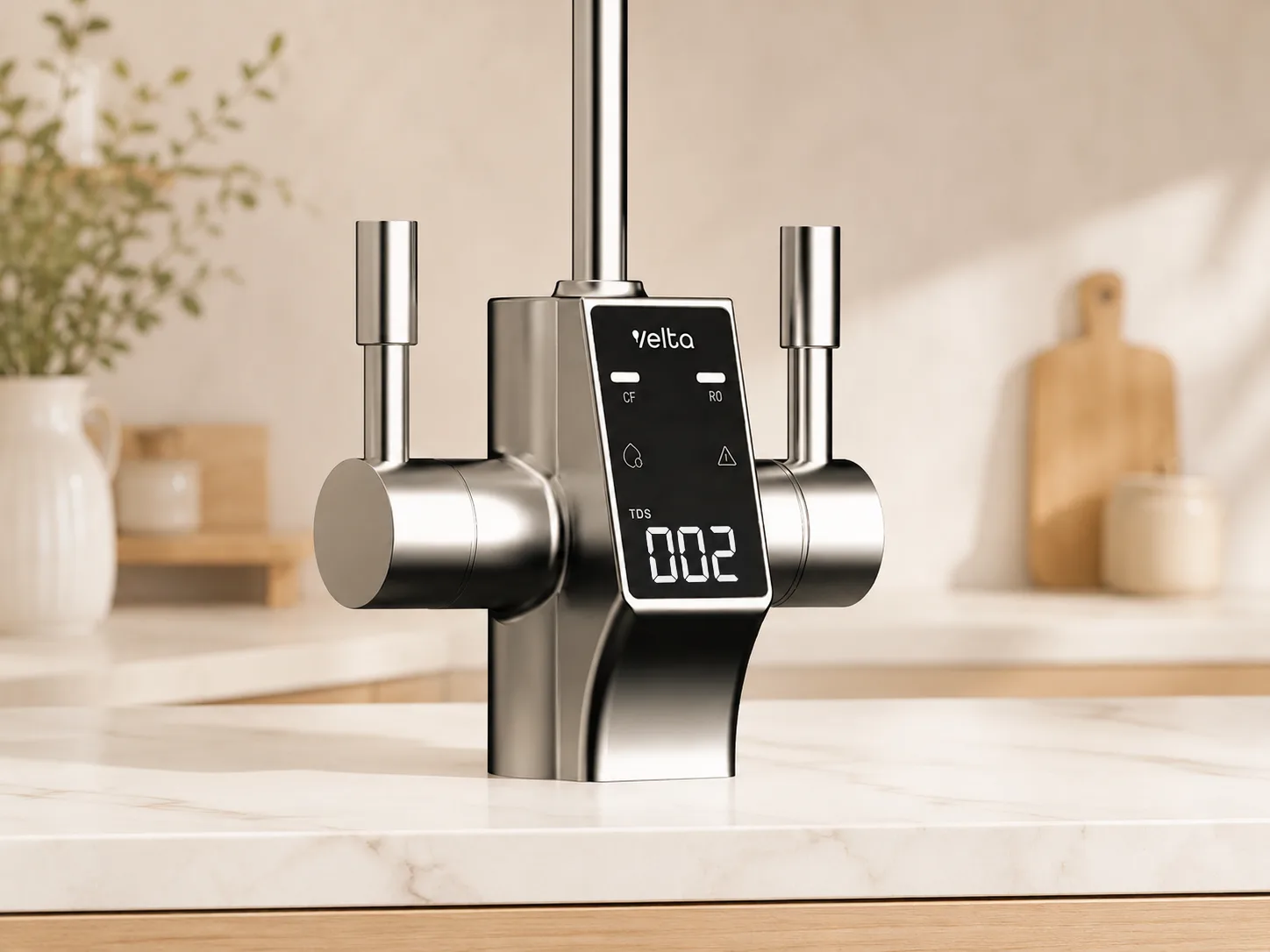
A water purifier does most of its work out of sight. Without a reading, a family may assume it is working because water still flows and tastes normal. Velta does not think assumption is enough.
Every Velta RO purifier makes TDS available on the appliance. The reading gives you an immediate view of how strongly the membrane is reducing dissolved material, while filter-life status and fault messages show when the system needs attention.
One Number Makes RO Performance Visible
TDS stands for total dissolved solids. An RO membrane reduces dissolved material as water passes through it. A reading such as 210 ppm before RO and 18 ppm afterwards makes that reduction immediately visible. Your actual values will vary with the incoming water and appliance.
The most useful approach is to learn your purifier’s normal reading under normal use. Source water, temperature and recent operation can move the number, so one universal target is less useful than a stable pattern from your own appliance.
A sudden or persistent change calls for the checks in the manual: confirm source water, filter status and the prescribed rinse or flush. Contact Velta Malaysia if the change continues.
Important limit
TDS is a combined measure of dissolved material. It does not identify individual substances, prove that water is free of microbes or replace an appropriate laboratory test.
Why TDS Monitoring Matters Day to Day
TDS monitoring gives you an early signal when the purifier behaves differently from its own normal pattern. Water may still look clear, taste familiar and flow from the tap even when RO reduction has changed. The display lets you notice that change before guesswork becomes your only guide.
Start by learning the usual range after the purifier has completed its normal flush and has been used in ordinary conditions. If your model shows both inlet and purified-water TDS, record both occasionally. The relationship between those two readings is more informative than comparing your outlet number with someone else’s home.
Scroll table horizontally →
| What you notice | What it may indicate | What to do |
|---|---|---|
| A small one-off change | Normal movement in source water, temperature, recent use or the first water after standing. | Let the appliance complete its normal rinse or flush, then check again under familiar conditions. |
| The purified-water TDS suddenly rises well above its usual range | A source-water change, incomplete flush, filter or membrane issue, incorrect cartridge seating, or another condition affecting RO reduction. | Check the inlet reading, filter status and fault display. Follow the manual’s flush steps and contact Velta if the higher reading persists. |
| The purified-water reading drifts upward across repeated checks | The inlet water may be changing, or the membrane’s reduction performance may be declining as service becomes due. | Compare inlet and outlet trends, review filter life and arrange a service check rather than waiting for taste to change. |
| Inlet and outlet readings move up or down together | The building or municipal source water may have changed while the purifier is still reducing a similar proportion. | Watch the relationship between both readings over several normal-use checks. |
| Flow slows but the TDS pattern remains familiar | Supply pressure, cold water, a loaded pre-filter, tubing or another flow restriction may be involved. | Check the model’s filter and fault indicators. TDS alone cannot diagnose a clogged filter, so follow the manual or request service. |
The practical rule
Do not panic over one different number. Recheck after normal flushing. A sharp change, a repeated upward trend or an outlet reading moving unusually close to the inlet reading is the reason to investigate.
Keep Filter Life in View
Every filter has a working life. Velta purifiers display or track cartridge use and provide a replacement prompt. The replacement point is the appliance prompt or the published capacity or time interval, whichever comes first.
Scroll table horizontally →
| Purifier | TDS display | Current filter guidance |
|---|---|---|
| HydroSpark+ | One value in the settings interface | 4-in-1 cartridge: 4,000 L / 24 months |
| HydroForm+ | Live TDS reading | PAC: 2,100 L / about 6 months; RO + ACF: 2,100 L / 1 year |
| HydroView+ | Inlet and outlet values at the faucet | CF: 4,000 L / 12 months; RO: 8,000 L / 24 months |
| HydroFirst+ | Inlet and outlet values on the display | Follow PCB and RO prompts; manual states up to 3,600 L / 12 months |
Capacity and time are limits, not guarantees that every installation reaches the same date. Water conditions and use matter, so the manual and appliance prompt remain part of the decision.
Notice Everyday Changes
The display is only one part of the experience. Pause and check the manual when:
- water flow becomes noticeably slower;
- taste or odour changes unexpectedly;
- the appliance shows a filter, water-quality or fault alert;
- the purifier has been unused for an extended period;
- a refill tank, drip tray, pitcher, faucet or outlet needs cleaning; or
- there is a leak, unusual sound or rejected-water route that is not behaving normally.
After a long break, use the exact model’s rinse or restart sequence before normal use. Refresh removable source water where applicable and do not bypass a fault message.
What Each Velta Purifier Shows
HydroSpark+
Shows a TDS value through its settings interface and keeps the 4-in-1 cartridge status alongside the other appliance controls. Its manual provides a filter-life reset after replacement.
View HydroSpark+ details ↗HydroForm+
Includes a live TDS display, filter-life percentage and auto-rinse control. PAC and RO/ACF cartridges have separate rated capacities.
View HydroForm+ details ↗HydroView+
Shows inlet and outlet TDS together at the faucet, keeps CF and RO cartridge status separate and includes automatic flushing.
View HydroView+ details ↗HydroFirst+
Shows inlet and outlet TDS and separate PCB and RO replacement indicators. Follow its on-screen alert and the replacement instructions for the exact cartridge.
View HydroFirst+ details ↗A Simple Ownership Routine
- 01Learn the normal pattern.
Check the TDS display occasionally under ordinary use rather than chasing one isolated number.
- 02Follow the filter status.
Use the appliance indicator and published capacity or time limit, whichever arrives first.
- 03Keep wetted parts clean.
Follow the manual for tanks, trays, faucets, outlets, tubing and prescribed sanitation.
- 04Rinse after interruption.
Use the stated restart sequence after a filter change, long break or source-tank refresh.
- 05Escalate a persistent change.
Contact Velta Malaysia when an alert, unusual reading, flow change, taste, odour or leak continues.
Common questions
Frequently Asked Questions
Does every Velta Malaysia purifier show TDS?
Yes. HydroSpark+ shows one value in settings; HydroForm+ provides a live reading; HydroView+ and HydroFirst+ display inlet and outlet values.
Should the TDS number always stay exactly the same?
No. Source water, temperature and recent use can move the reading. A stable normal pattern is more useful than one isolated number; a sharp or lasting change deserves investigation.
Does a higher TDS reading mean the filter is clogged?
Not by itself. A loaded pre-filter may show up as slower flow, while a higher purified-water TDS can have several causes, including a source-water change, incomplete flushing or a membrane-related issue. Recheck after the prescribed flush, review inlet and outlet trends and use the appliance alerts and manual to narrow the cause.
Does a low TDS number prove that the water is safe?
No. TDS does not identify individual substances or microorganisms. Use it as one performance indicator, not as a complete water-quality test.
When should I replace the filter?
Follow the appliance prompt and the published capacity or time interval for that exact cartridge, whichever comes first. Source water and use can affect service life.
What should I do after a holiday?
Follow the model’s rinse or restart instructions before normal use. Refresh removable source water where applicable and let the appliance complete its prescribed cycle.
Sources checked 27 July 2026